
Blog

How to Track Socket Orders Online?

When an order leaves the warehouse, uncertainty often begins. Customers want more than a delivery estimate. They want clear movement, reliable updates, and confidence that their purchase is progressing safely. This guide explains How to Track Socket Orders Online through practical steps that ordinary shoppers can follow.

Yossi Sheffi, an MIT professor and supply-chain authority, has said, “The goal is not to predict the future, but to prepare for it.” That idea fits online order tracking. A tracking page cannot control traffic, weather, or warehouse delays. It can still show useful evidence, such as a dispatch scan, a sorting-center arrival, or an estimated delivery window. Small details matter.

Start with the order confirmation email or customer account. Find the order number, shipping reference, and carrier link. Enter the tracking number carefully on the official tracking page. Avoid relying only on a screenshot. Dates can change. They often do. Track Socket may display statuses such as “processing,” “in transit,” “out for delivery,” or “delivered.” Each status describes a stage, not a guarantee.

Check the timestamp and location beside every update. A package showing “in transit” for two days may still be moving normally. However, repeated identical scans deserve attention. Contact the seller when the tracking number appears invalid, the parcel misses its promised window, or delivery evidence looks unfamiliar. Keep the confirmation email and delivery details available.

Tracking is helpful, but it is not perfect. A careful customer verifies information before making assumptions. That simple habit can prevent confusion and create a more dependable Track Socket experience.
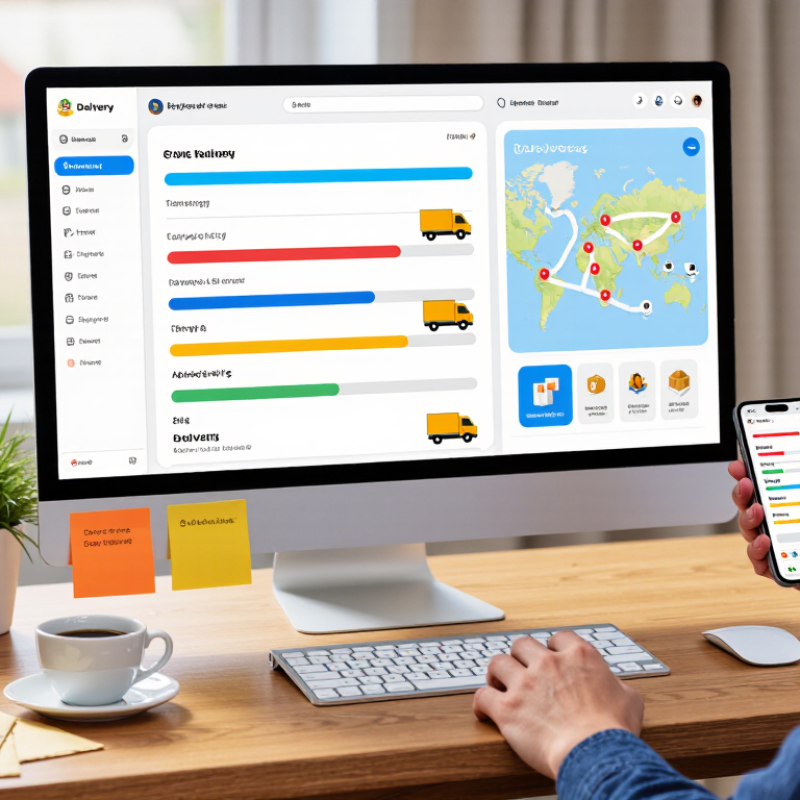
How to Track Socket Orders Online?

Understanding Socket Order Tracking Systems

How to Track Socket Orders Online?

Understanding socket order tracking systems starts with the order lifecycle. A reliable system records confirmation, stock allocation, picking, packing, dispatch, and delivery. Each stage should show a timestamp and responsible facility. This creates a practical audit trail, not just a moving status label. The 2023 MHI Annual Industry Report found that 55% of supply chain professionals were increasing technology investment. That trend reflects a clear need for better order visibility. Still, digital tracking is not automatically accurate. A warehouse scan may be delayed, duplicated, or entered incorrectly.

Look for systems that provide order numbers, estimated dispatch dates, carrier updates, and exception alerts. Some platforms also show batch details, quantities, and backorder reasons. These details help purchasing teams compare the online record with invoices and receiving notes. McKinsey’s supply chain research has reported that companies using advanced digital tools can improve forecasting and operational responsiveness. The result depends on clean data and disciplined scanning. No system is perfect. That deserves attention.

Tips: Check the order number against the purchase confirmation. Review the last scan time, not only the delivery estimate. Contact support when an order remains unchanged beyond the stated processing window. Save screenshots for damaged packaging or quantity differences. A simple weekly review can reveal repeated delays, but human checking still matters.

Preparing Your Order Details for Online Tracking

How to Track Socket Orders Online?

Preparing accurate order details makes online socket tracking faster and more reliable. Record the order number, product specification, quantity, and purchase date. Include the correct email address and delivery postcode. These small details help locate an order when tracking information appears late.

The 2024 Pitney Bowes Parcel Shipping Index recorded more than 161 billion parcels worldwide in 2023.

That volume creates occasional scanning gaps. Do not assume silence means failure.

Before contacting support

Compare the tracking number with your confirmation email. Check whether the order is processing, dispatched, delayed, or delivered.

A clear product description also matters when several socket types appear in one purchase. Baymard Institute’s checkout research reports that 18% of shoppers abandon orders because checkout feels too complicated. Accurate details reduce repeated searches and unnecessary messages.

Still, mistakes happen. I once treated a dispatch notice as a delivery update, which caused avoidable confusion.

Tips:

Save a screenshot of the confirmation page.

Keep the invoice nearby.

Check the tracking page from the seller’s official order portal, not an unfamiliar link.

If the status has not changed for 48 hours, contact support with the order number, delivery postcode, and the last visible scan.

Remove payment details from screenshots.

Recheck everything.

Accessing the Seller’s or Carrier’s Tracking Portal

How to Track Socket Orders Online?

When a socket order is dispatched, the seller’s tracking portal is usually the best starting point. Open the order confirmation and select the shipment link. Use the exact order number, email address, or tracking code shown there. Small typing errors can produce a false “not found” message.

Check the shipping status, dispatch date, destination, and estimated delivery window. These details should match your order record. If the seller provides a carrier link, open it and compare the tracking number on both pages. The carrier’s portal may show more precise events, such as pickup time, sorting location, or an attempted delivery. It may also display updates later than expected. Portals are not always clear.

I have found that “label created” does not always mean the parcel has moved. The carrier may not scan it until collection. Wait one or two business days, then check again. If the status remains unchanged, contact the seller through the official order page. Include the order number, purchase date, and a screenshot of the tracking message. Avoid entering payment details on unfamiliar tracking pages. A secure portal should use a protected web address and request only necessary information. I still question some estimated dates because weather, warehouse delays, and missed scans can change them without warning.

Reading Shipment Statuses and Delivery Updates

Tracking socket orders online is easier when each shipment status is read as a process, not a promise.

Enter the order number on the seller’s tracking page, then check the carrier scan time and location.

“Label created” means the shipment data exists, but the parcel may not have moved.

“In transit” shows movement between facilities.

“Out for delivery” usually means local dispatch, although delays can still occur.

The 2023 Parcel Shipping Index recorded 161.1 billion parcels worldwide in 2022.

With this volume, missed scans are possible. A status may remain unchanged for 24 to 48 hours, especially during sorting or cross-border transport.

Watch the estimated delivery date, exception notices, and the last physical scan.

Small details matter, such as a warehouse code or an attempted-delivery note.

If the socket order shows “delivered” but is missing, check the entrance, reception area, and nearby delivery points before contacting support.

Keep screenshots, timestamps, and the complete tracking history. They provide stronger evidence than memory.

Still, tracking systems are not perfect. A promised date can change without a clear explanation, and that deserves a careful follow-up.

Resolving Missing, Delayed, or Incorrect Tracking Information

When tracking a socket order, check the order number, delivery address, and product model first. A wrong digit can produce another parcel’s status. Open the carrier page from your order confirmation, not from an unverified message. Compare the promised date with the latest physical scan. “Label created” usually means the parcel has not entered transit. It does not prove movement.

Delayed updates often result from handoffs, weekend closures, or missed warehouse scans. Wait 24 to 48 hours after the expected scan, then contact the seller with screenshots and the exact timestamp. Ask for the dispatch date, carrier reference, and delivery investigation number. The 2024 E-Commerce Trends Report found that 81% of shoppers may abandon a purchase when preferred delivery options are unavailable. Clear tracking matters. It is part of the product experience.

Incorrect information needs careful checking. Confirm whether the parcel shows delivered, returned, held, or delivered to a nearby location. If the socket arrived damaged or differs from the order, photograph the box, label, terminals, and package contents before using it. The 2024 global checkout benchmark reported average cart abandonment above 70% across many studies, although tracking alone does not explain that result. My earlier mistake was trusting a “delivered” scan too quickly. A scan is evidence, not always the final truth. If support gives conflicting answers, request one written case reference and keep every update together.